


 Download
Binding your email to your 3 Patti Blue account is a useful step for keeping your account more secure. It can also help you recover your account if you forget your login details or have trouble accessing it.
In this guide, we will explain the 3 Patti Blue email binding steps in simple words. Follow each step carefully to connect your email with your account.
What Is 3 Patti Blue Email Binding?
Email binding means connecting your email address to your 3 Patti Blue account. After binding an email, your account can use that email for verification, security, or account recovery, depending on the available features.
Make sure you use an email address that you can access because you may need to receive a verification code.
3 Patti Blue Email Binding Steps
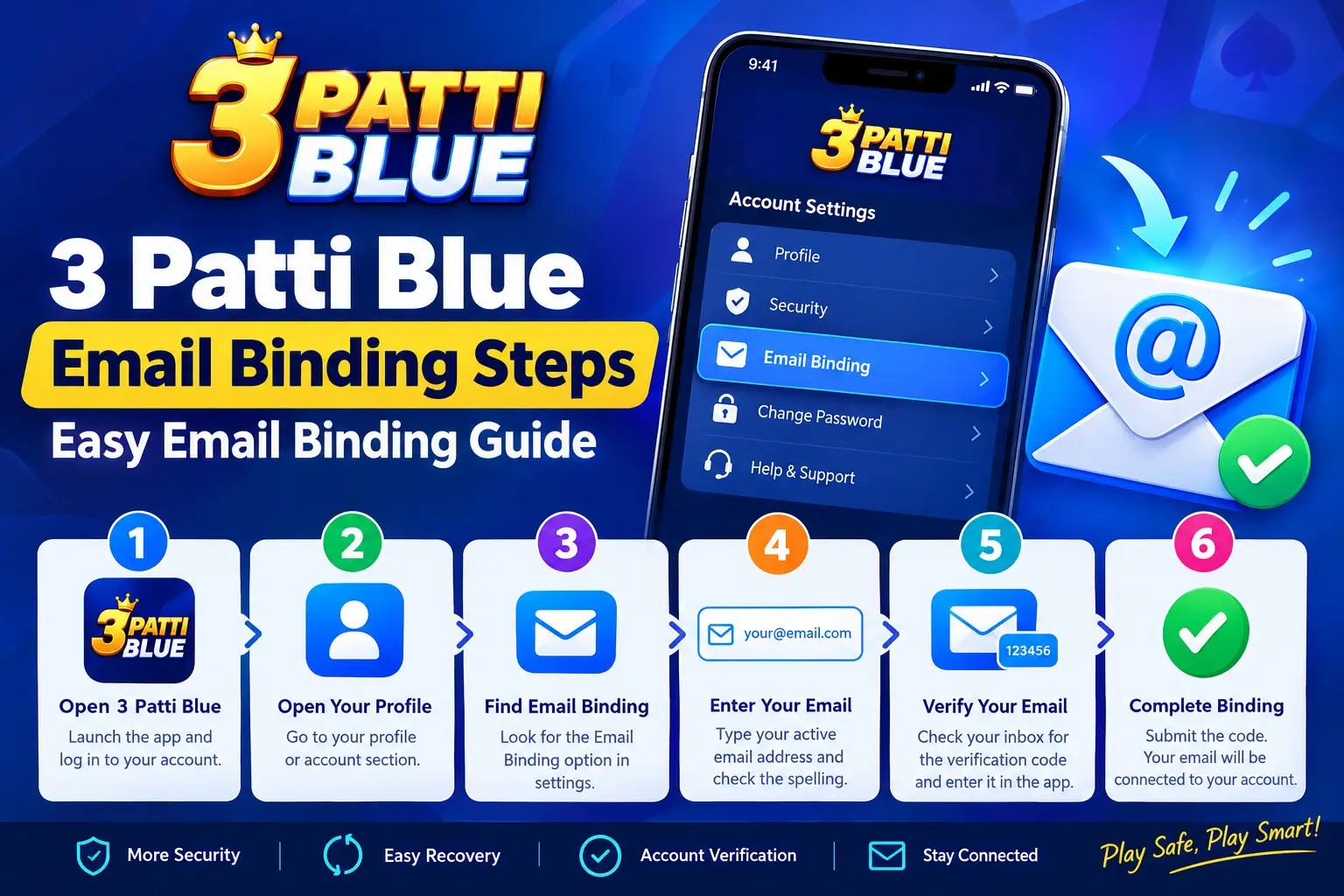
Follow these simple steps to bind your email with your 3 Patti Blue account:
Step 1: Open 3 Patti Blue
First, open the 3 Patti Blue app on your phone. Log in to your account using your existing login details.
Step 2: Open Your Profile
After logging in, go to your profile or account section. Look for an option such as Settings, Account, or Security.
The exact option name may be different depending on your app version.
Step 3: Find the Email Binding Option
Inside the account or security settings, look for the Email Binding, Bind Email, or similar option.
Tap on it to continue.
Step 4: Enter Your Email Address
Enter your active email address in the required field.
Check the spelling carefully before continuing. A wrong email address may prevent you from receiving the verification code.
Step 5: Verify Your Email
After entering your email, 3 Patti Blue may send a verification code to your email inbox.
Open your email account and check for the verification message. Copy the code and enter it in the required field in the app.
If you cannot find the email, check your Spam, Junk, or Promotions folder.
Step 6: Complete Email Binding
After entering the correct verification code, submit the request. If the verification is successful, your email should be connected to your 3 Patti Blue account.
You can then return to your account settings and check whether the email shows as bound or verified.
Why Should You Bind Your Email?
Email binding can be useful for several reasons:
- It adds an extra layer of account security.
- It may help with account recovery.
- It provides a way to verify your account.
- It helps keep your account information connected to an email you control.
- It can make it easier to receive important account messages.
What If the Verification Code Does Not Arrive?
If you do not receive the verification code, try these simple solutions:
- Check that you entered the correct email address.
- Check your Spam or Junk folder.
- Wait a few minutes and request a new code.
- Make sure your internet connection is working.
- Avoid requesting multiple codes too quickly.
- Contact the app’s official support if the problem continues.
Tips for Safe Email Binding
Always use your own active email address when binding your account. Never share your verification code, password, or other private account information with another person.
Also, avoid entering your account details on unknown websites or unofficial pages. Use the official app or trusted account settings whenever possible.
Final Words
The 3 Patti Blue email binding process is simple when you follow the correct steps. Open the app, go to your account or security settings, select the email-binding option, enter your email, and complete the verification process.
Keeping your email connected to an account you control can also make account recovery and verification easier when needed.
 Rattings and reviews
 4.3
4.3  v1.230